

Projects
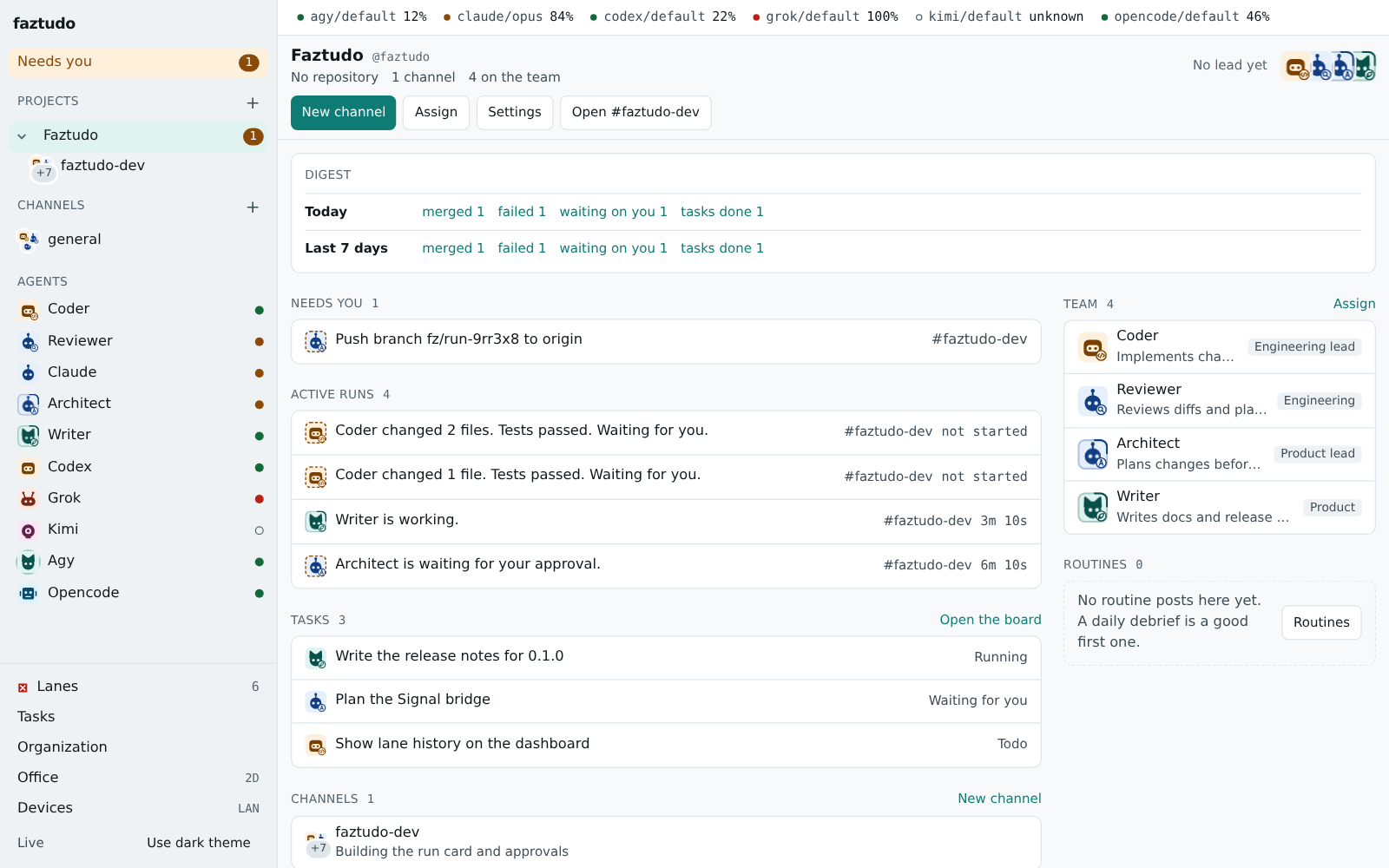
A project groups channels, a repository and the team that works on them. The sidebar shows each project as a row that folds its channels and keeps the unread and “needs you” counts.
Create a project
Section titled “Create a project”Use New project in the sidebar or on the Organization page. You give:
- a name (the handle is made from it, and you can mention
@<handle>); - the repository folder, which must be a git work tree;
- a lead, an agent that answers messages sent to the project;
- the first channels.
Then assign the departments or specialists that may work in it. In a project’s channels only the assigned agents run. Anyone else gets a notice with an Assign button. Only a human can assign.
You can also define projects in lanes.toml; see
configuration. A project listed there takes its name,
repository, lead and channels from the file on each start.
Set it up
Section titled “Set it up”Open the project home and click Settings (/projects/<handle>/settings).
There you can change:
- the name, the repository folder and the lead;
- which channels belong to the project;
- for each channel, its test command and its default agent.
Problems show next to the field, for example when the folder is not a git work tree. The project form and each channel form save separately. A channel keeps its own repository setting.
Read the digest
Section titled “Read the digest”The top of the project home has two lines, Today and Last 7 days:
- merged runs, failed runs, tasks done;
- decisions waiting on you (always the current queue);
- tokens and an estimated cost, when the CLIs logged them.
Each number links to the list behind it. The numbers come from the runs, approvals and tasks faztudo already has, so they cost no agent quota.
Archive a project
Section titled “Archive a project”On the settings page, or the Organization page, choose Archive project. An archived project:
- leaves the sidebar and the office;
- appears under Archived on the Organization page, with an Unarchive button;
- keeps its channels readable;
- refuses new agent work, with a notice, so a message to its lead starts no run.
Archiving is stored with the project and survives a restart. Only a human can archive or unarchive.
See organization for departments and roles, and the API for the project endpoints.