

Tasks and approvals
A plain @coder fix the login always works. This page is for the times you
want more shape than that, and for the one place where every decision waits
for you.
Give an agent a task
Section titled “Give an agent a task”A task is a directive for one agent. It has:
- a title and the directive itself;
- the agent, and optionally a lane (a task pinned to a lane does not fall back
to another lane, as with
/lane); - a mode, read or write;
- the scope the agent may touch, the checks to run, and what done means.
Open the builder with the Task button next to the message box, or type
/task (and an optional title). It has templates for implement, review,
investigate and docs. Then pick one:
- Add to Todo keeps the task for later.
- Start now posts the directive in the channel and runs the agent on it.
A start is refused, with the reason, when the lane is out of quota, a write task has no repository path on its channel, the agent is not on the project’s team, or the project is archived. Nothing is posted in that case.
Read the board
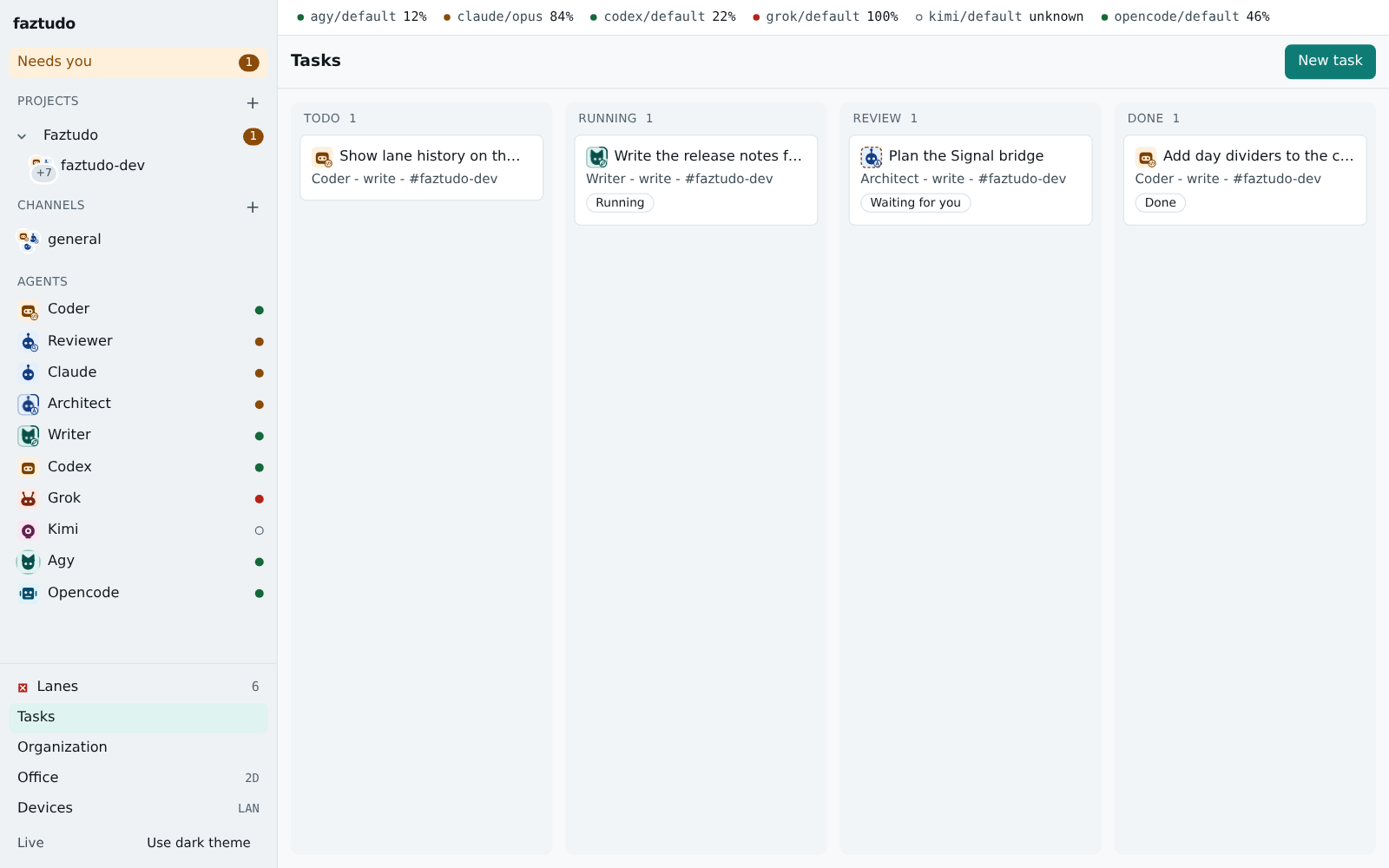
Section titled “Read the board”The Tasks page (/tasks, or /p/<project>/tasks for one project) has four
columns:
| column | meaning |
|---|---|
| Todo | not started. Drag cards to reorder, or use the arrow buttons. Only a Todo task can be edited. |
| Running | a run is working on it |
| Review | a run waits for your decision, or the run failed |
| Done | you decided, and the work is finished |
Click a card to see the directive, each run with a link to its timeline, and the link to its approval. A failed or cancelled task can be started again. After a restart of faztudo, a task whose run was interrupted shows as failed instead of staying in Running.
Decide in the inbox
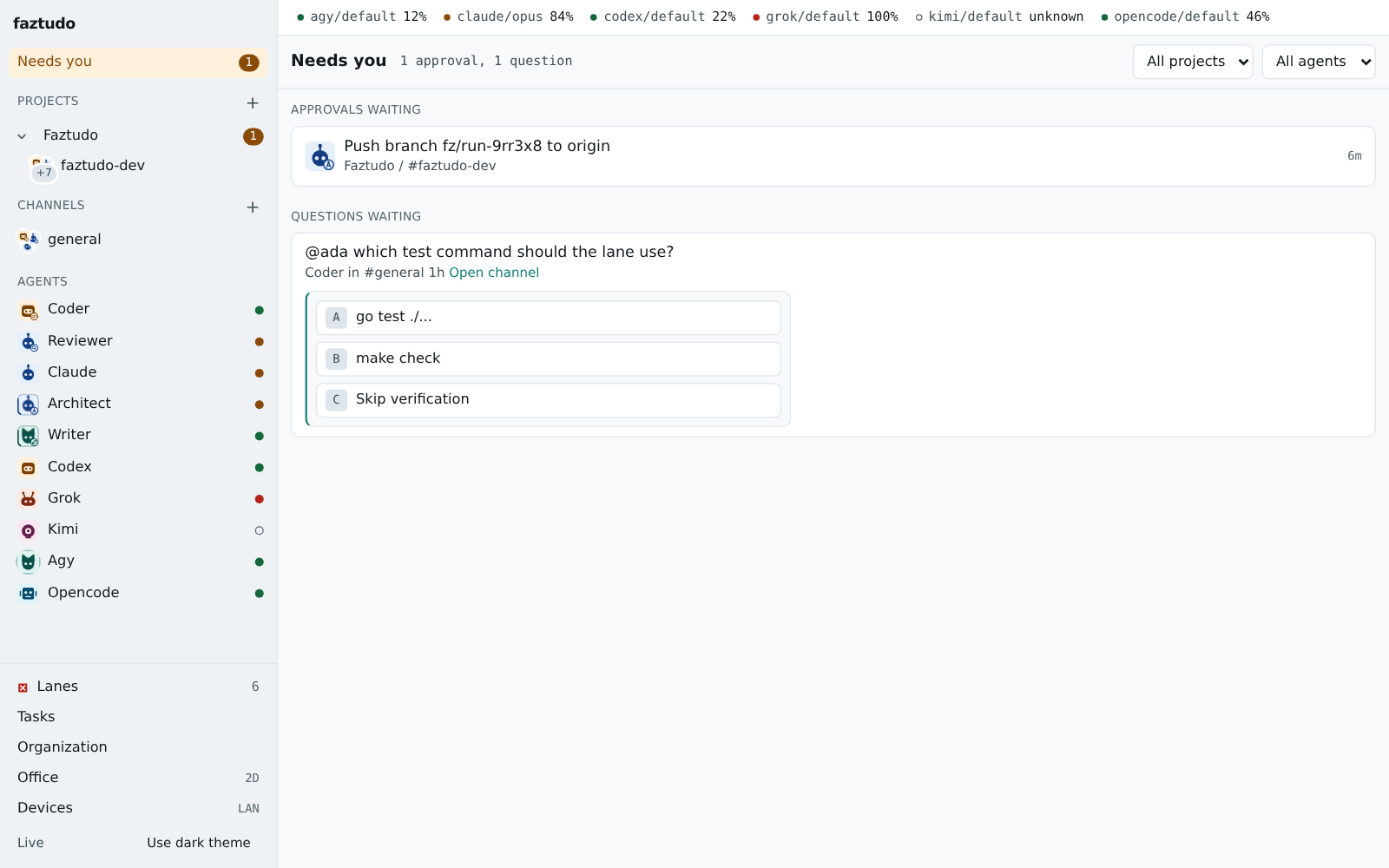
Section titled “Decide in the inbox”When a write run finishes, faztudo asks what to do with its branch. Every pending question, from every channel, is in the Approvals inbox, and the same card shows in the channel under the run. Each card shows:
- the run’s one-line summary and the diff;
- the verification result, and the last lines of the test output when it failed;
- a commit message you can edit before merging;
- the options as buttons, with a key for each. The card says which keys.
For a write run the options are:
- Merge commits the worktree changes with your git identity and puts the commit on the channel repository’s current branch. If the branch moved since the run began, faztudo replays the run’s commit on top of it.
- Keep leaves the branch and worktree for you to handle.
- Discard removes the branch and worktree.
Agents can also ask you a question or request an approval through the faztudo MCP server. Those cards sit in the same inbox. An agent cannot answer any of them: the server accepts decisions only from a human.
When a merge is refused
Section titled “When a merge is refused”The card stays pending and says why, so you can fix it and try again:
- the worktree was changed in a way faztudo does not allow (tampered);
- the channel repository has uncommitted changes. Commit or stash them;
- the branch moved and the replay conflicts. The message names the files;
- the repository is on a different branch than when the run started. The message names both. Switch back, or choose Keep and merge yourself.
See also Using faztudo and the API for the task and approval endpoints.